Green BTC Club
Bitcoin mining plays a crucial role in maintaining the security and integrity of the Bitcoin network. It also consumes a significant amount of energy, and much of that energy comes from non-renewable sources like coal and natural gas. According to the Cambridge Bitcoin Electricity Consumption Index, Bitcoin's estimated annual electricity consumption in the year of 2022 is around 107 TWh (terawatt hours), which is more than the entire energy consumption of some countries.
While realizing that Bitcoin mining can have a significant impact on the environment, some Bitcoin miners have started to adopt clean energy sources, such as hydro and solar power. As the renewable energy is not always available for some miners, alternative approach can be taken to alleviate the environment impact, such as Renewable energy credits (RECs) and Carbon credits.
Green BTC Dapp is such a on-ramp for Bitcoin community members to make the Bitcoin mining green and sustainable. Please visit Green BTC to join the Green Bitcoin Club with practical actions.
📗 Know Green BTC Dapp
This is main page of Green Bitcoin Dapp. The goal of the Dapp is to carbon-offset the power consumption of the Bitcoin block at height #779089 on Hong Kong Web3 Festival 2023.
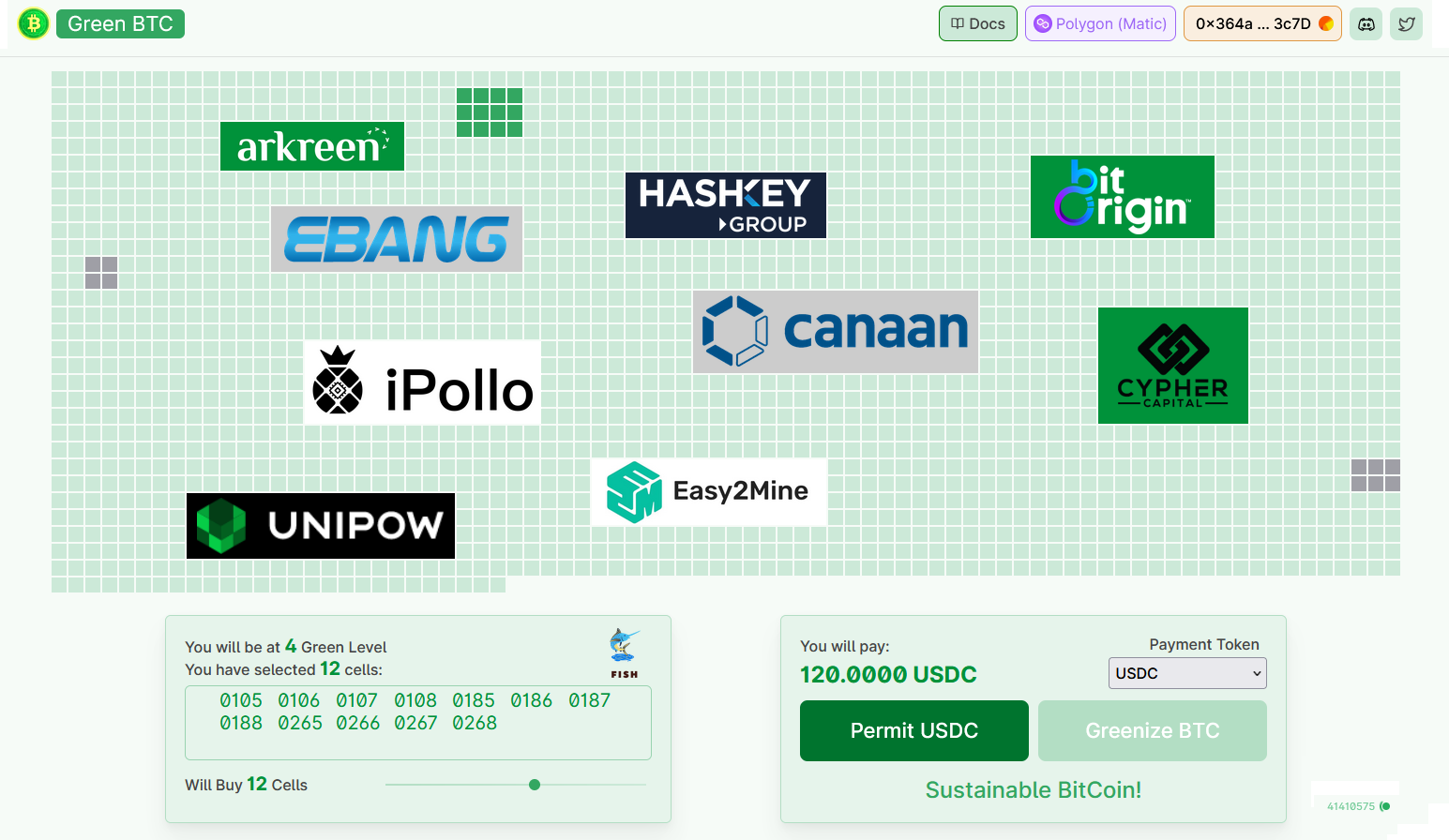
📜 Theory of Green BTC
Bitcoin block #779089 was minted at 03-03-2023 15:43:36 (UTC+8), it took totally 1226 seconds to mint this block. According to CCAF, the estimated power consumption in that day is 14.24867195 GWh per hour, so the Block #779089 mining consumed 4,852.46 MWh in overall.
According to the design, Bitcoin BTC Dapp contains 2427 cells, each representing 2.0 MWh. Purchasing a cell means purchasing and redeeming 2 RECs to carbon-offset part of the power consumption mining Block #779089. While all the 2427 cells have been purchased, it means that the entire block #779089 has been greenized.
Green BTC club has bought and redeemed 5000 RECs to underpin Green BTC Dapp. All the RECs are bridged to the Arkreen AREC tokenization bridge protocol to issue an AREC NFT. This NFT is liquidized to mint 5000 HART ERC20 tokens, which is equivalent to RECs in 1:1. All these 5000 HARTs are deposited to one smart contact on Polygon network for sale and offsetting the power consumption of Block #779089.
The price of the cell is fixed to be 5 USDC. While each cell is sold, 2 HART, meaning 2 RECs will be bought and burned in AREC protocol. While multiple cells are bought in one transaction, respective amount of HART will be burned to offset the power consumption.
Green BTC club has defined 8 Levels for the Eco coiners who have purchased some cells.
| Level of Eco coiner | Number of cells purchased |
|---|---|
| 1 | 1 - 3 cells |
| 2 | 4 - 6 cells |
| 3 | 7 - 9 cells |
| 4 | 10 - 12 cells |
| 5 | 13 - 15 cells |
| 6 | 16 - 18 cells |
| 7 | 19 - 21 cells |
| 8 | >= 22 cells |
For each Eco coiner who has purchased some cells, one AREC badge is minted based on the Arkreen AREC protocol. The eco-coiner is the beneficiary of the AREC badge, and some carbon offset intension can be updated to the badge by the eco-coiner some later after the transaction.
Additionally one Green BTC Club NFT is minted and awarded to the eco-coiner. Each NFT contains the carbon off information, such as all the cell ID,and the eco-coiner level.
📊 Features of Green BTC
Green BTC Dapp is deployed on Polygon network. Please connect to your wallet on Polygon.
All cells that been bought by Eco-coiner are displayed in Grey.
Eco-coiners may submit their institution or personal information to Green BTC Club. In this case, the submitted Eco-coiner's logo wil be displayed over the cells they bought.
While hovering the mouse over any cell available for sale, the cell ID will be displayed in the bottom left area of the screen, and the cell will be displayed in PURPLE.
While clicking any cell available for sale, the cell will be displayed in GREEN, and this cell is added to the cell list you want to buy. If clicking the cell again, it will be removed from the cell list.
infoIt is not recommended to select the cells in this way, the reason is that the cells may be distributed dispersedly within the cell panel as you have specified, and it will not be possible for you to put your logo over your cells.
While hovering the mouse over any cell that has been sold, some information of the relative Green BTC NFT will be displayed in the bottom left area of the screen, including the Level of the Eco-coiner, all the cell list of the Green BTC NFT, and the address of the owner. If no logo is displayed over the cell, then all the cells that belongs to the same Green BTC NFT will be displayed in RED.
Double-click the cell that has been sold, a window will be prompted. Some detailed information are displayed in this window, including name and level of the eco-coiner, list of the cells of the Green BTC NFT, and the NFT minting transaction information. Click the button 'Proof of Green BTC', the window containing detailed REC proof will be displayed.
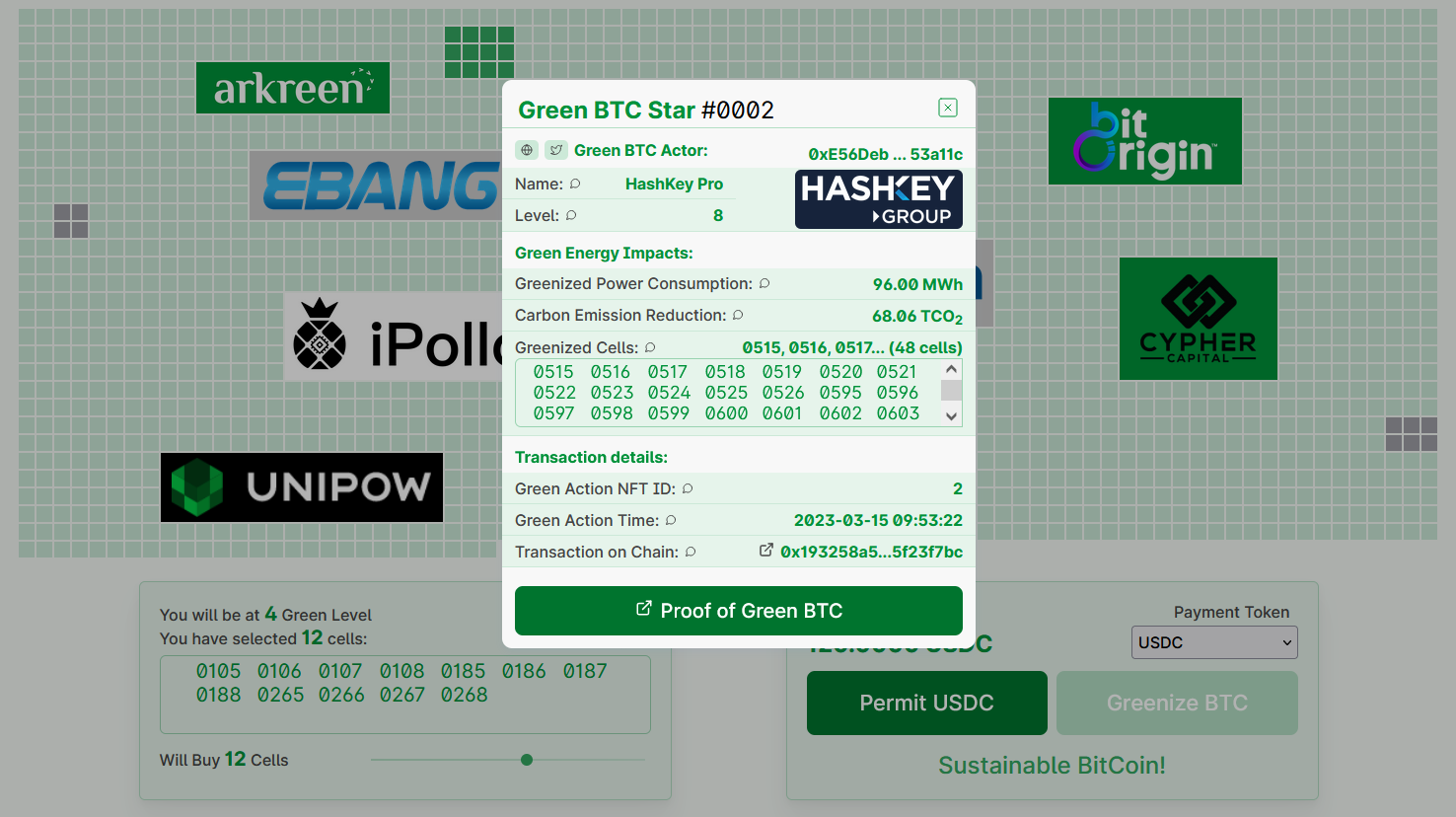
Green BTC NFT details Rolling the mouse wheel up and down could zoom in and out the cell panel. In the mobile phone with touchscreen,"pinch-to-zoom" is also supported by moving two fingers more closer or further apart.

Cell Panel Zoom In/Out Moving the slider in the bottom left area, Green BTC Dapp will automatically allocate specified number of cells for you, and all these cells are located next to each other so that your logo can be placed over these cells later.
🤲 Join the Green BTC Club
To join Green BTC club, you need to buy some cell within Green BTC club. It is easy, please follow these steps:
Visit Green BTC Club. Connect to your wallet on Polygon network by clicking the button Connect to Wallet if you have not yet.
infoDo NOT connect to other blockchain networks, Polygon mainnet is the must choice.
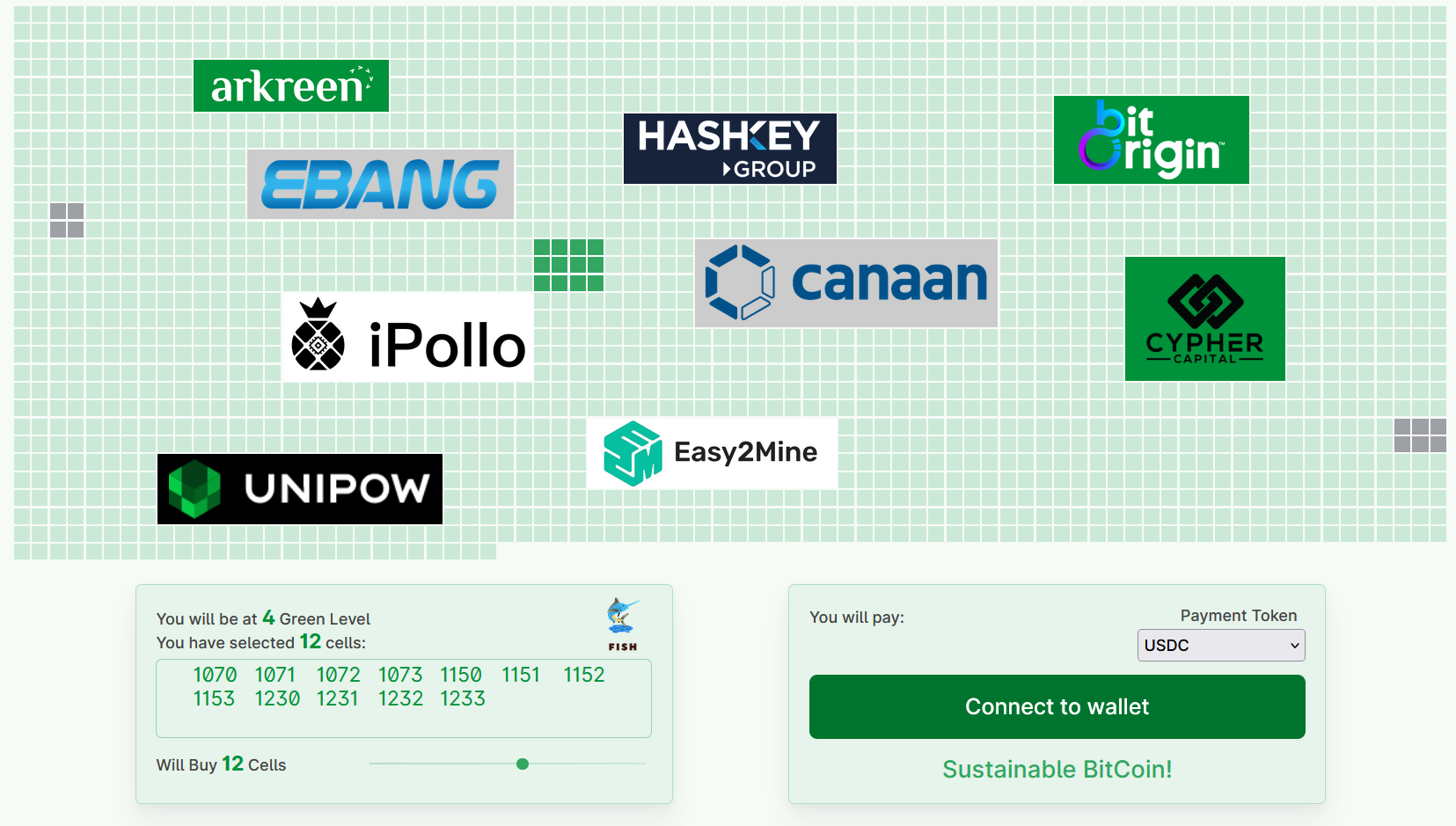
Connect to Wallet Move the slider to specify how many cells you want to buy. If you want to place your logo over your cells, you can add/remove some cells to the automatically allocated cells to get the similar shape proportional with your logo. While you have selected some cells, the Dapp will automatically calculate the value in USDC you need to pay.
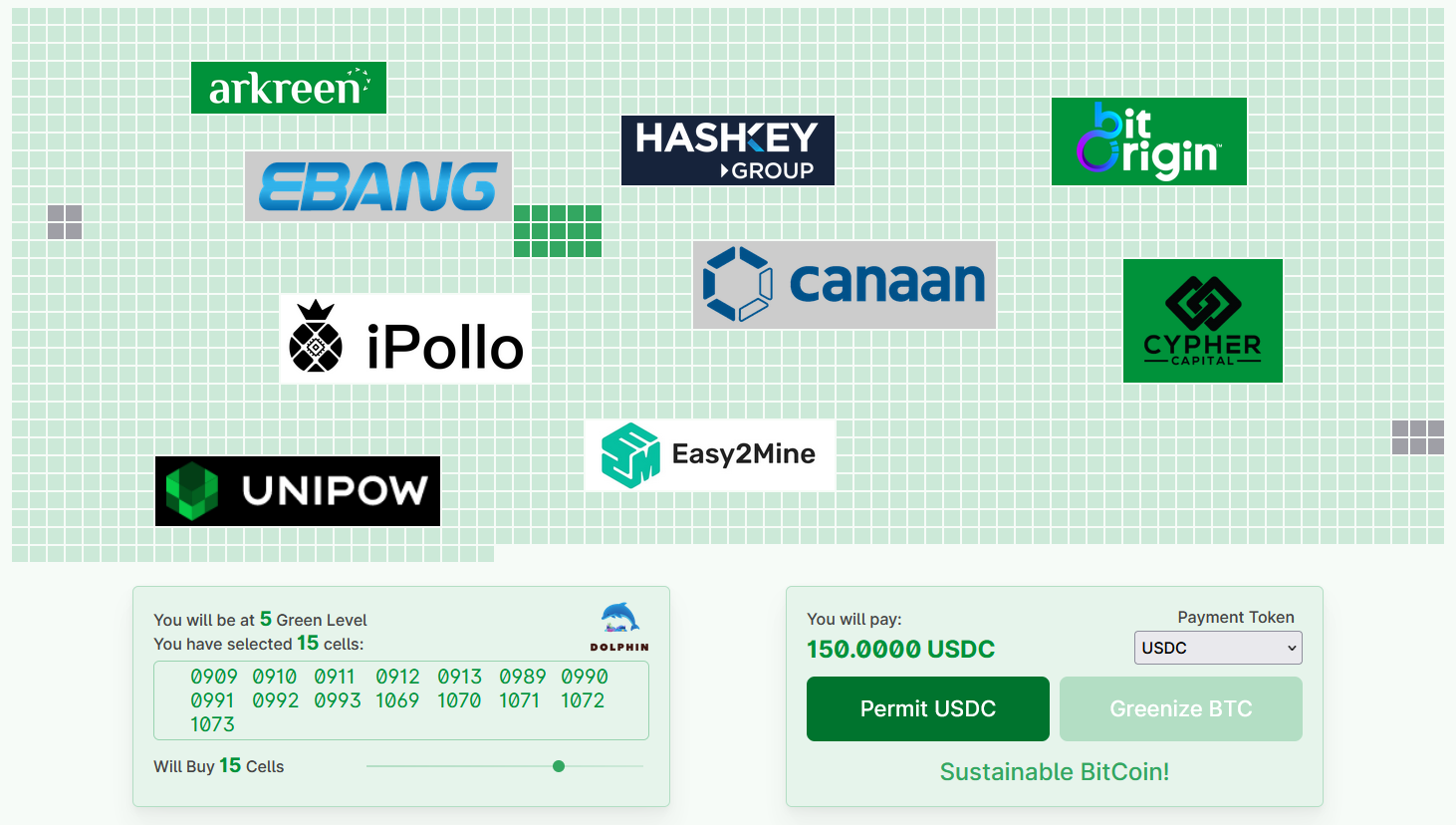
Select the cells Click the button "Permit USDC" to permit Green BTC Dapp to transfer specified amount of USDC from your Wallet. Please carefully check the permit information prompted in your wallet application, and click the Sign only if you are very sure that all the information are completely correct.
infoThis step just generates a wallet signature. No transaction is sent to the blockchain network.

Permit the payment Click the button "Greenize BTC", and then confirm the transaction within your wallet.

Greenize BTC While the transaction is confirmed on the Polygon mainnet, all your bought cells will be displayed in GREY, meaning that they are sold out. While pointing the mouse to these cells, they will be displayed in RED, and all the cell ID you just bought will be listed under the cell panel.
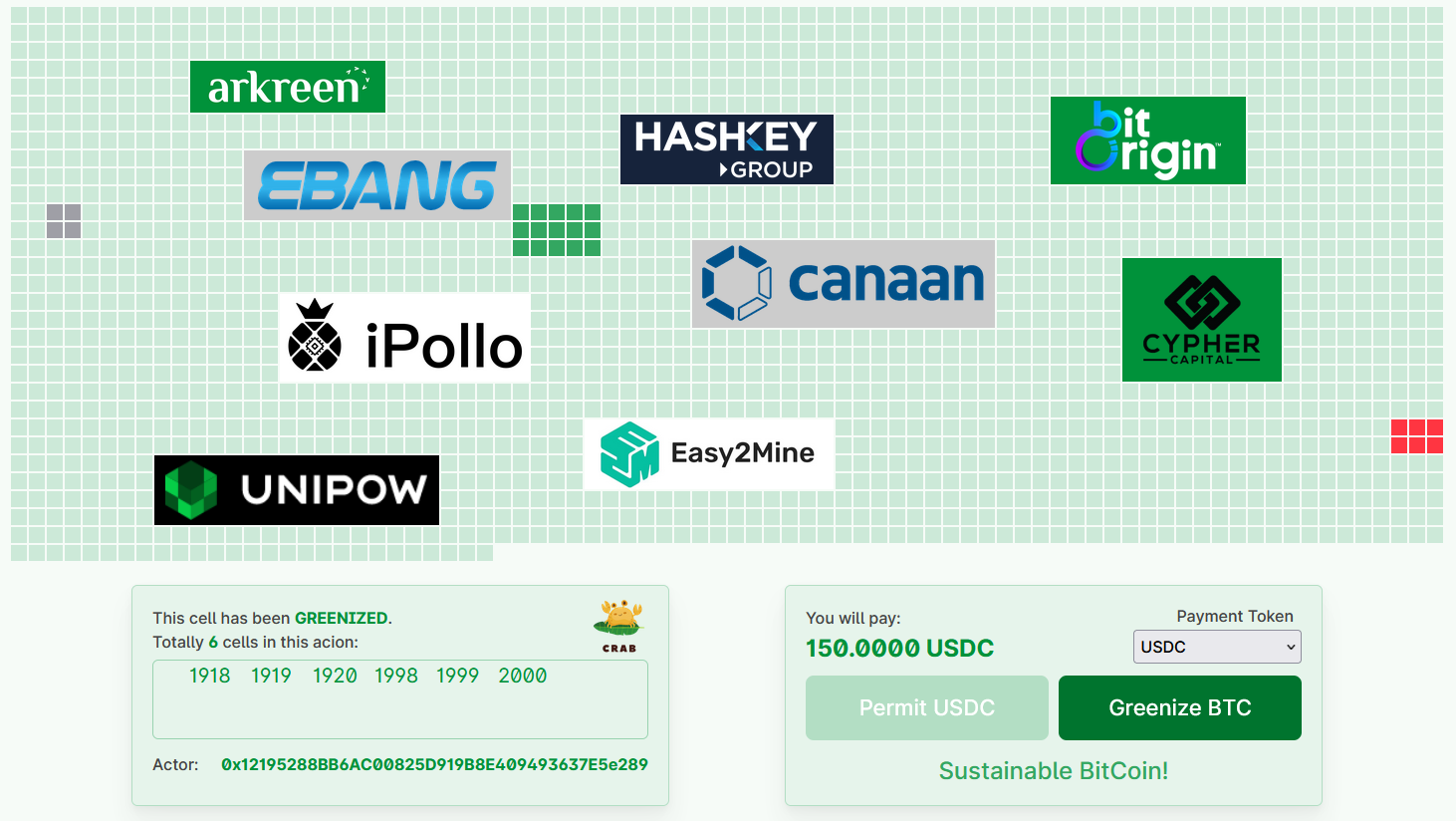
Cells sold out Great! You have become the member of Green BTC Club, and a Green BTC Club NFT has been minted to your wallet. You can view this NFT within Polygon explorer, and in Opensea market. You may also send your information to Green BTC Club to place your Logo over your cells.
infoIf the Green BTC Club NFT can not be seen in Opensea, please refresh the metadata manually within your Opensea profile.
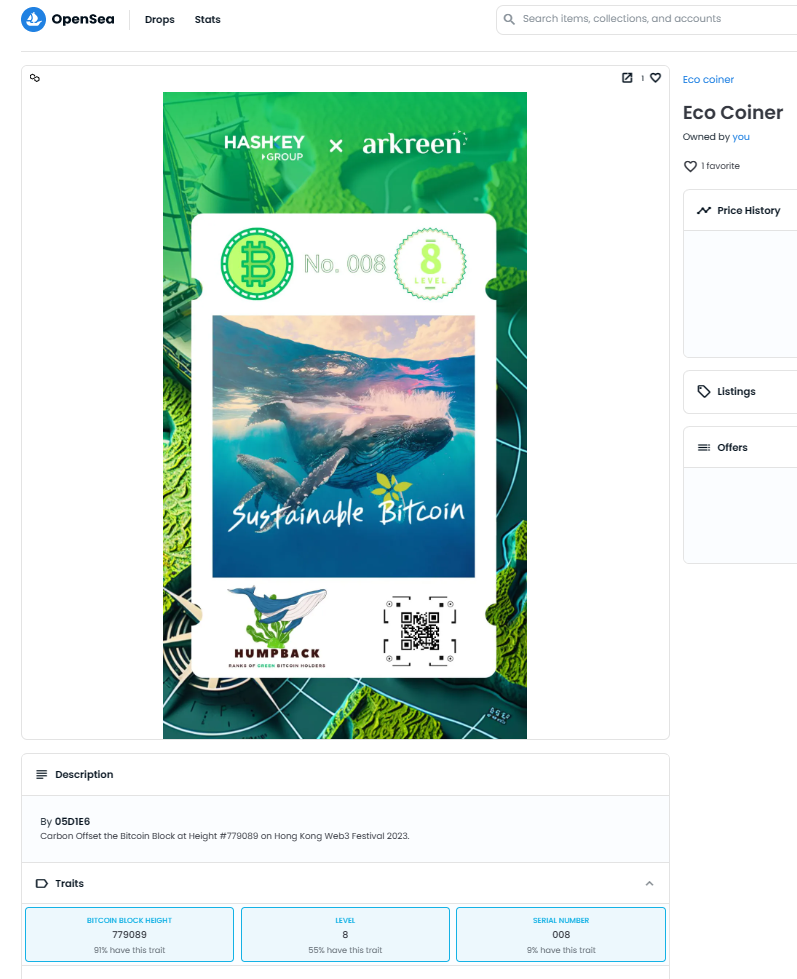
Green BTC Club NFT in Opensea